Dashboard and workspace management
The user dashboard is the landing page of Eclipse Che where users create, manage, and access their workspaces. It coordinates with the Che server, plug-in registry, and Kubernetes API to convert devfiles into running workspace pods.
It is a React application.
The Che deployment starts it in the che-dashboard Deployment.
It needs access to the Che server, the plug-in registry, and the Kubernetes Application Programming Interface (API).
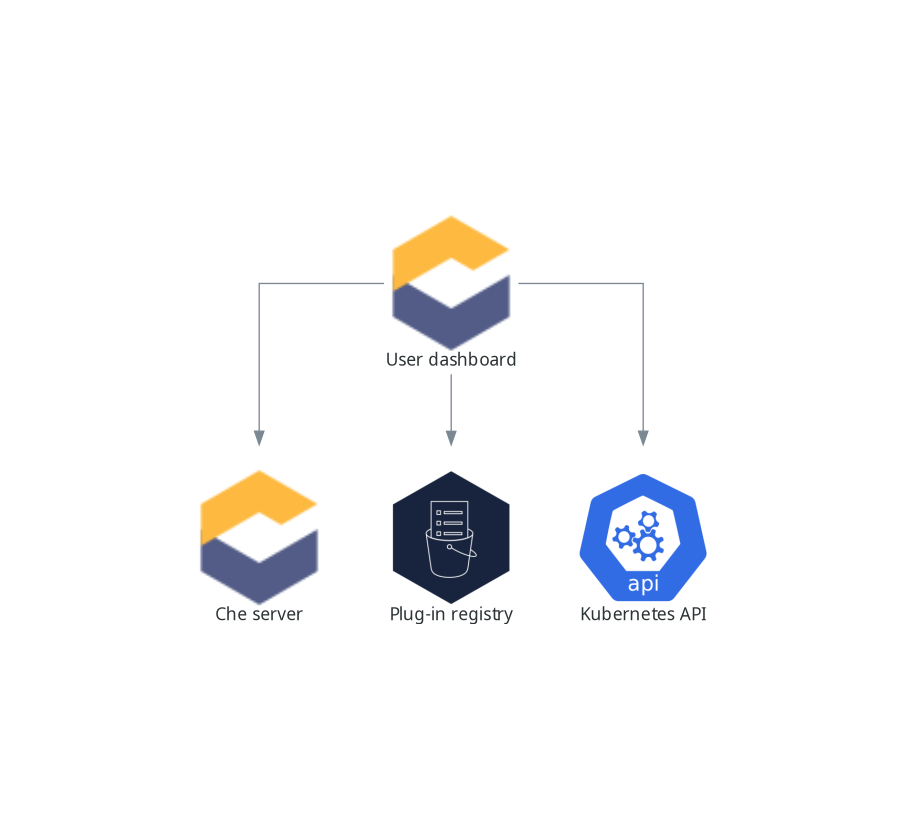
When the user requests the user dashboard to start a workspace, the user dashboard executes this sequence of actions:
-
Sends the repository URL to the Che server and expects a devfile in return, when the user is creating a workspace from a remote devfile.
-
Reads the devfile describing the workspace.
-
Collects the additional metadata from the plug-in registry.
-
Converts the information into a DevWorkspace Custom Resource.
-
Creates the DevWorkspace Custom Resource in the user namespace using the Kubernetes API.
-
Watches the DevWorkspace Custom Resource status.
-
Redirects the user to the running workspace IDE.